
Integrating your organization’s Identity Provider (IdP) with 101domain using OpenID Connect (OIDC) requires specific user attributes and configuration parameters to be correctly set. This guide details the required claims and IdP-specific information necessary for successful user provisioning and Single Sign-On (SSO) setup, helping you avoid common integration issues.
Required Claims for User Provisioning
Successful provisioning for new users depends on your IdP correctly releasing specific user attributes (“claims”) during the OIDC exchange to 101domain. If your IdP fails to map or release the required claims, provisioning will fail for the new user, resulting in a generic login error.
The IdP administrator may need to explicitly define attribute mapping when configuring the 101domain application in your IdP to ensure 101domain receives the necessary data.
|
101domain User Field |
OIDC Claim Name |
Required Scope |
Purpose |
|
Email Address |
|
|
Unique account identification and linking. |
|
First Name |
given_name |
profile |
Required for account connection. |
|
Last Name |
family_name |
profile |
Required for account connection. |
IdP-Specific Parameters Required by 101domain
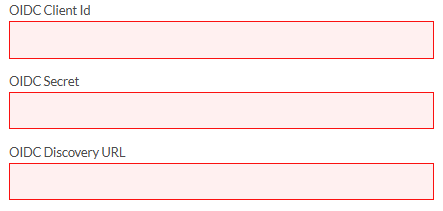
Once the application is registered and configured in your organization’s Identity Provider, your IT team must collect the following three parameters and provide them to your Primary Account Owner to configure your IdP within the 101domain Single-Sign-On Configuration Panel:
|
Parameter |
Common IdP Name |
Description |
|
OIDC Client ID |
Application (Client) ID |
The unique public identifier of the application registered in the IdP console. |
|
OIDC Secret |
Client Secret / Application Secret |
The confidential key used to secure token exchange. This must be treated as sensitive information. |
|
OIDC Discovery URL* |
Authority/Tenant URL |
The base URL that identifies the Identity Provider and is used by 101domain to discover the OIDC metadata endpoint. |
*The term 'Discovery URL' might also be referred to as 'Well-known Configuration', or 'OpenID Provider Metadata' and will depend on the provider.
Security Reminder: Always handle the OIDC Secret and other sensitive credentials securely. Do not share them via unsecured channels or store them in plain text.
Troubleshooting
-
If provisioning fails, verify that all required claims are mapped and released by your IdP. Double-check the OIDC parameters for accuracy.
-
Refer to our SSO Configuration Guides for OneLogin SSO or Okta SSO.