
After your organization's Primary User has configured Okta SSO for your 101domain account, you can use this guide to learn how to sign in quickly and securely with Okta.
Remember, sub-users must be explicitly enabled by the Primary User to utilize Okta SSO.
To sign in to the 101domain account with Okta SSO:
-
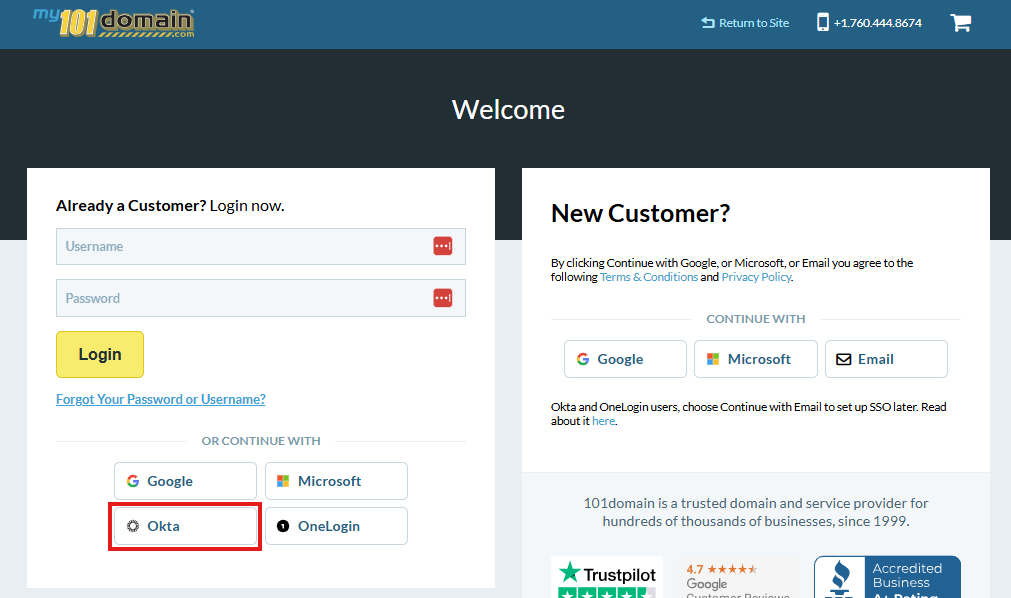
Login in to the 101domain account.
-
Select the Okta button.
-
Enter your Okta username and click on Continue.
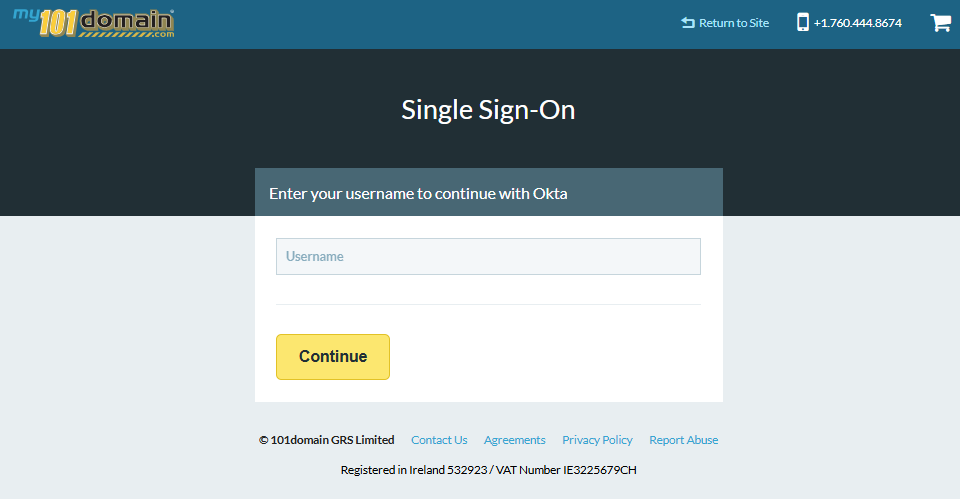
You should now be signed in with Okta SSO.
If you a are sub-user and are experiencing issues logging in, please check with your organizations Primary User to ensure sub-users have been enabled for Okta SSO. For more information on enabling sub-users, visit our article Managing User Access and Enforcement.
Important Notes
-
Each user must be enabled in the 101domain account prior to logging in with Okta SSO.
-
The Primary Account owner can allow each user, including themselves, to log in with:
-
Okta SSO only, OR
-
either Okta SSO or username and password.
-