
If you are unable to access your 101domain account after attempting to recover your username or reset your password, you may need to complete the account recovery process. This article guides you through the steps to regain access while ensuring your account’s security.
Tip: If you still have access to the email address associated with your account, try Recovering Your Account Username or Resetting Your Account Password before proceeding with full account recovery.
Steps
-
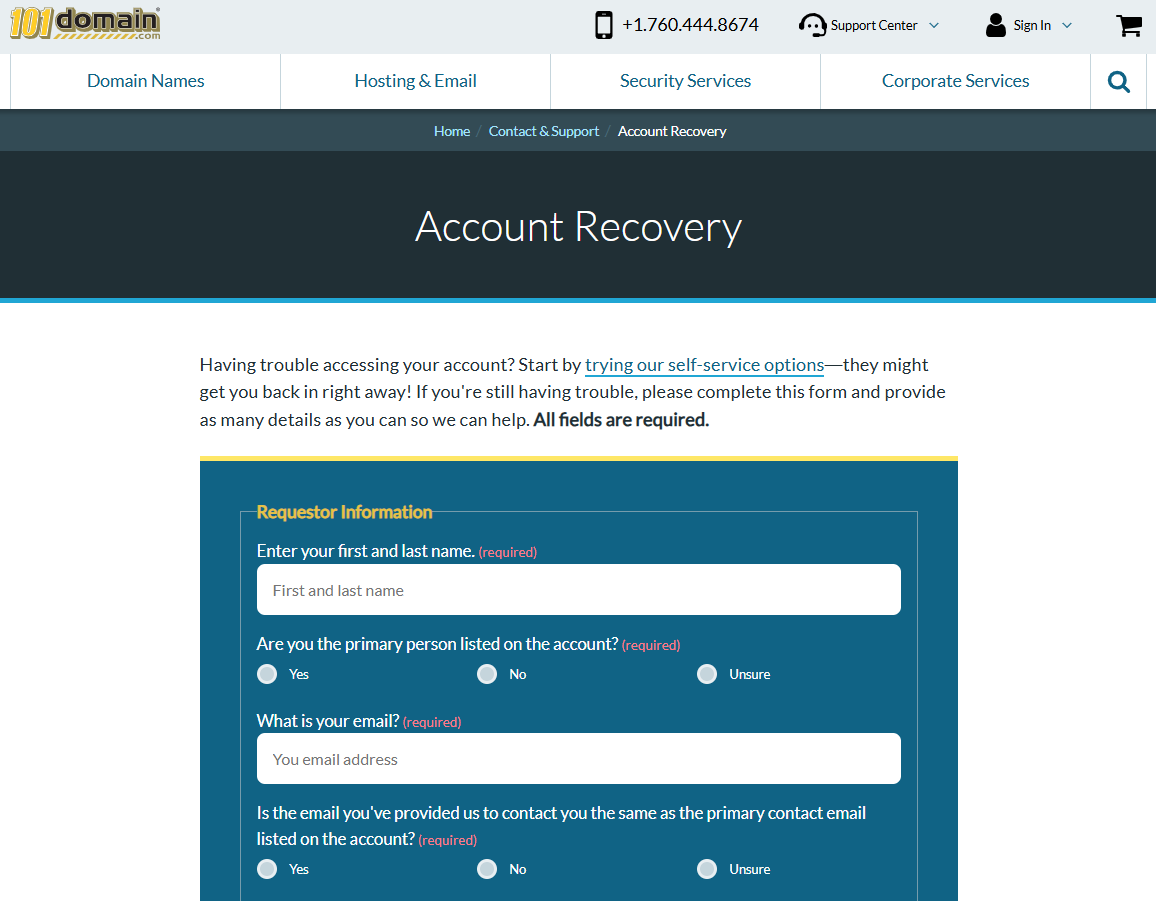
Go to the Account Recovery webform.
-
Complete all required fields on the form.
-
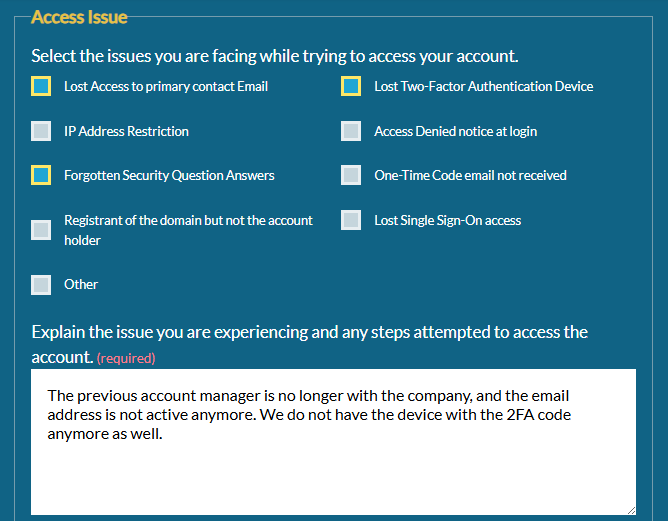
In the Access Issue section, select all options that describe why you cannot access or update your account.
If you do not have the answers to your security questions (often required for major changes like adding users or updating security settings), select Forgotten Security Question Answers.
-
Click Submit.
After submitting the form:
-
You will receive a confirmation email acknowledging your request.
-
Our team will review your submission and send you the next steps, which may include completing identity verification through Persona.
Please allow 24–48 hours for review. You will receive an email with either account access approval or a request for additional documentation if needed.