
This article is designed to guide you through the process of verifying your account to set up an account balance. To begin using your account balance, your account must be verified and have Two-Factor Authentication (2FA) enabled.
For instructions on how to deposit funds into your account, see the Depositing Funds to Your 101domain Account help page.
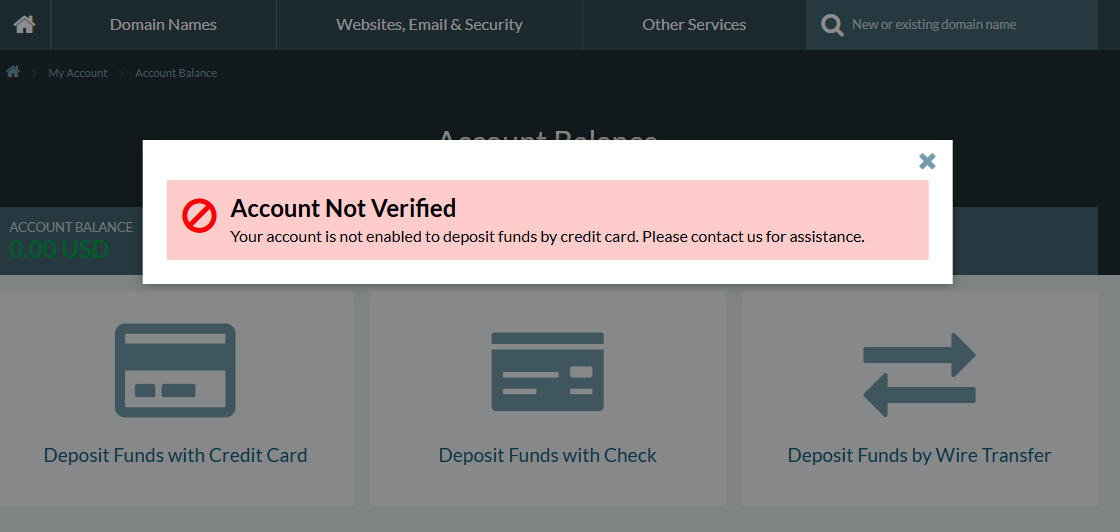
If you see this error message when trying to add funds into your account, you will need to confirm your account has been verified.
Steps
-
Ensure your account has Two-Factor Authentication (2FA) enabled.
-
Once 2FA is enabled, submit a support ticket
-
Make sure your account details and contact information are accurate and up to date before requesting verification.
-
Trust & Safety will review your request, verify your account, and update your status to Verified Client.
See the help page Setup Two-Factor Authentication for directions on how to do so.
Initiating the Verification Process
If you've already enabled 2-factor authentication (2FA) and are still getting an error that prevents you from adding a deposit, please request verification:
-
Open a support ticket under "General Inquiry" in your account's Support Center.
-
Trust & Safety will review your request, verify your account, and update your status to Verified Client.
Tip: Make sure your account details and contact information are accurate and up to date before requesting verification.
Read our article on Depositing Funds to learn how to add funds to your account balance.