
When you create an account, the same contact information is used for your domains’ registrant, administrative, technical, and billing contacts. It’s important to keep this information up to date, because it’s used to notify the appropriate contact of any changes or requests related to your domain names.
Steps to Update Your Default Domain Contacts
-
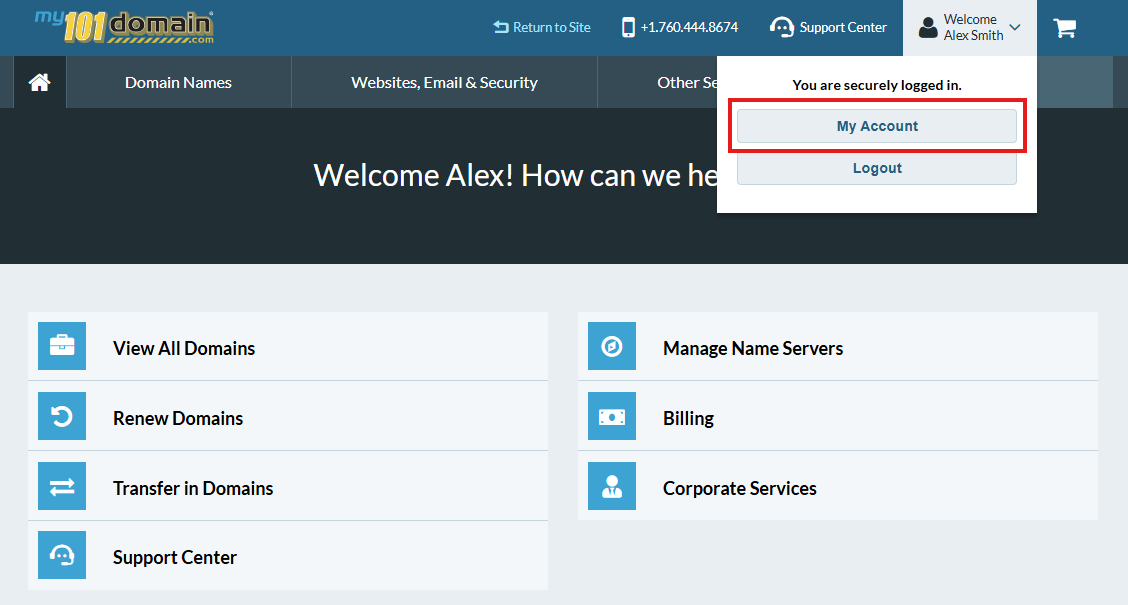
In the top-right corner, open the Welcome dropdown and select My Account.
-
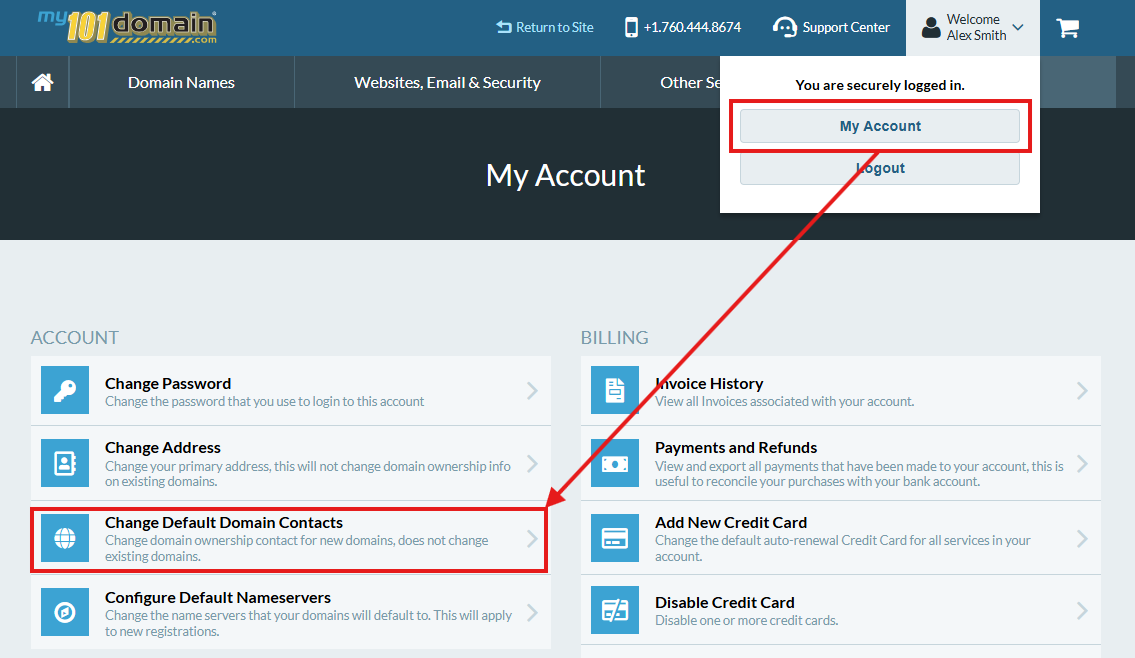
Choose Change Default Domain Contacts.
-
Fill in the required fields and click Okay. (Future domains will now automatically use this contact information by default.)
|
Contact type |
Description |
|---|---|
|
Registrant |
Primary contact and legal owner of the domain. |
|
Administrative |
Authorized contact who can interact with the domain’s registrar about changes or requests. |
|
Technical |
Authorized contact who handles technical details of the domain, such as renewals and notices. |
|
Billing |
Authorized contact who receives invoices for registration and renewal fees. |
When contact verification is required
Registries governed by ICANN rules require that all contact changes be verified before they are accepted. When you update your contact information, you will receive an email asking you to confirm the change.
-
If the change is not verified within 10 days, it will be canceled.
-
If your change is canceled, you will need to resubmit the contact update.