
The 101domain API utilizes a least-privilege security model through API Scopes. Even if your API key is active and valid, it will be rejected with a 403 Forbidden error if it hasn't been granted the specific permission required for the endpoint you are trying to reach.
For example, if you attempt to check your account balance using a key that was only configured with domains:read permissions, the system will block the request.
Common Error Response:
{
  "status": "error",
  "code": "INSUFFICIENT_PERMISSIONS",
  "message": "The provided token does not have the required scope(s).",
  "errors": null
}
How to Fix a 403 Forbidden Error
-
Log into your my.101domain.com account.
-
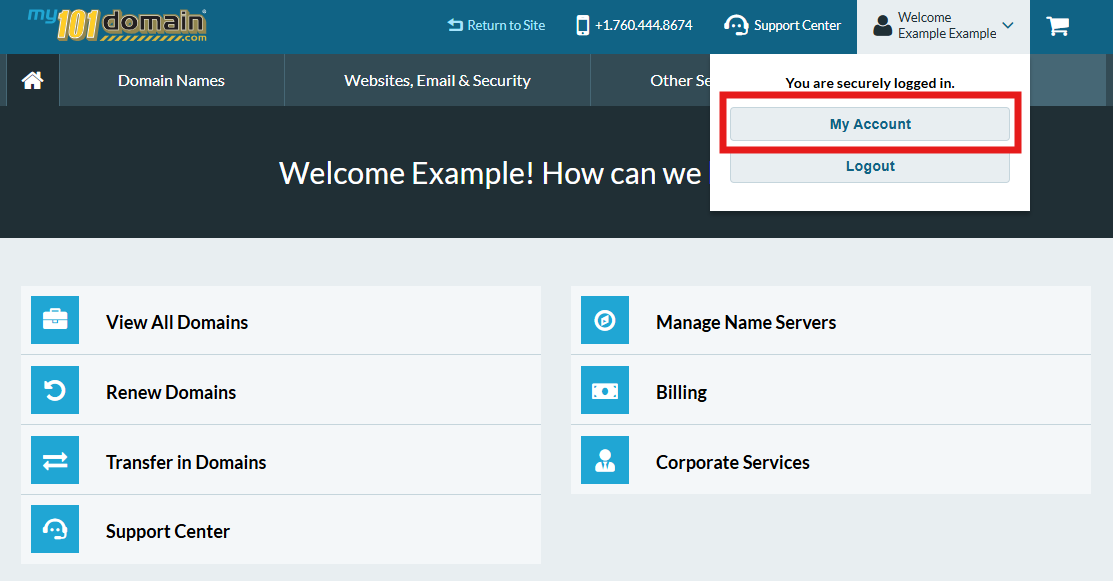
Navigate to My Account > User Settings.
-
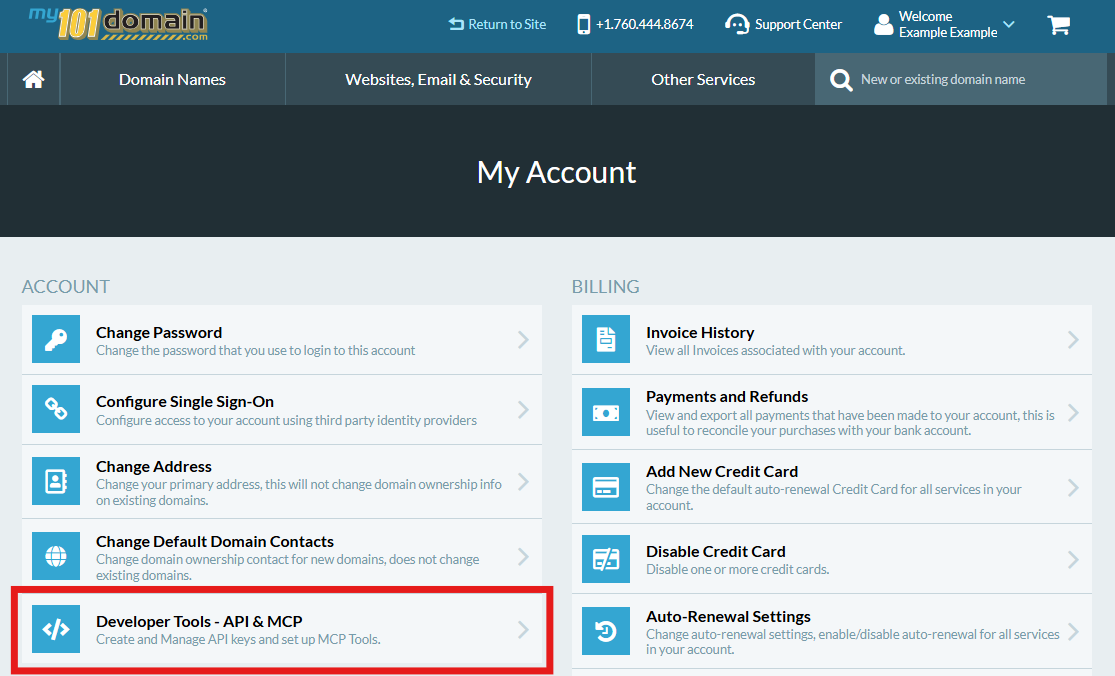
From the My Account menu, click on Developer Tools - API & MCP.
-
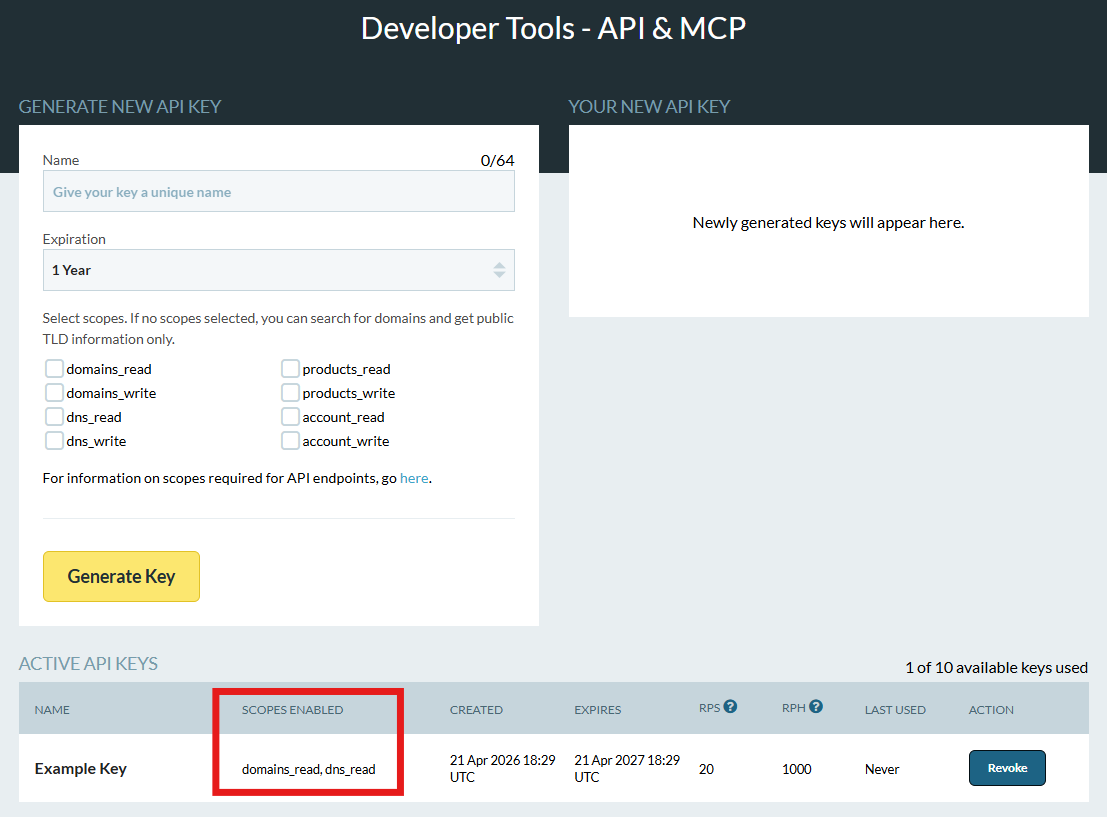
In the Developer Tools menu, scroll down the page to check which scopes have been selected for the API Key. If the Scope(s) selected is not sufficient for your needs, you will need to either:
If you continue to encounter errors, please contact our Support Team by Opening a Support Ticket at my.101domain.com.