
For security, 101domain utilizes one-way salted hashing to store API credentials. This means that once your key is generated and displayed to you, the plain-text version is purged from our active databases. We only store a cryptographic ‘fingerprint’ used to verify your requests.
This industry-standard practice ensures that even in the event of a data breach, your actual API keys remain protected.
Steps for Recovery
If you have lost your key or suspect it has been compromised, follow these steps to restore your service:
Step 1: Revoke the Existing Key
-
Log into your my.101domain.com account.
-
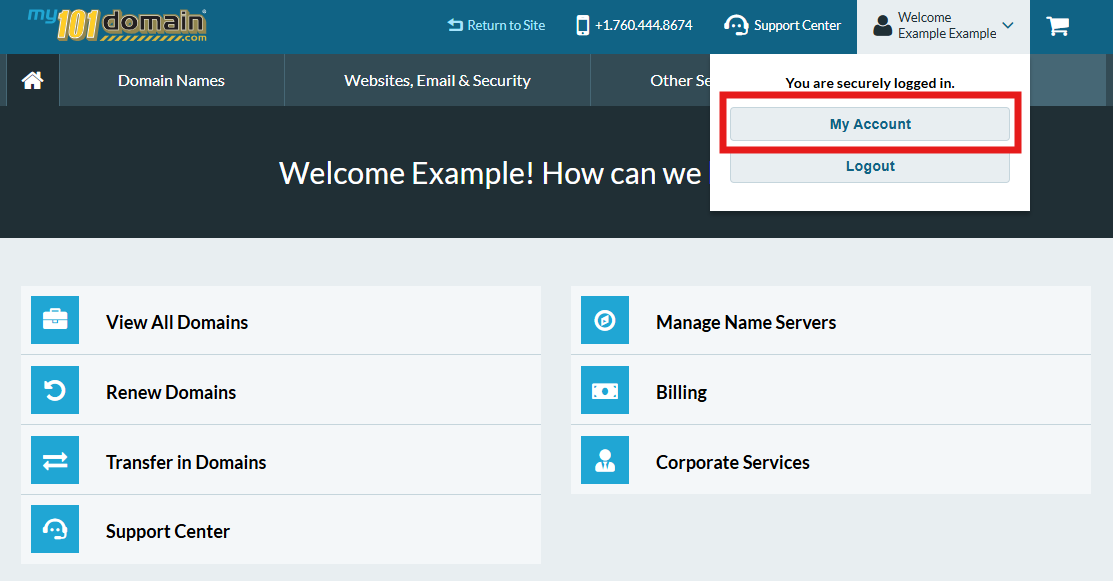
Navigate to My Account.
-
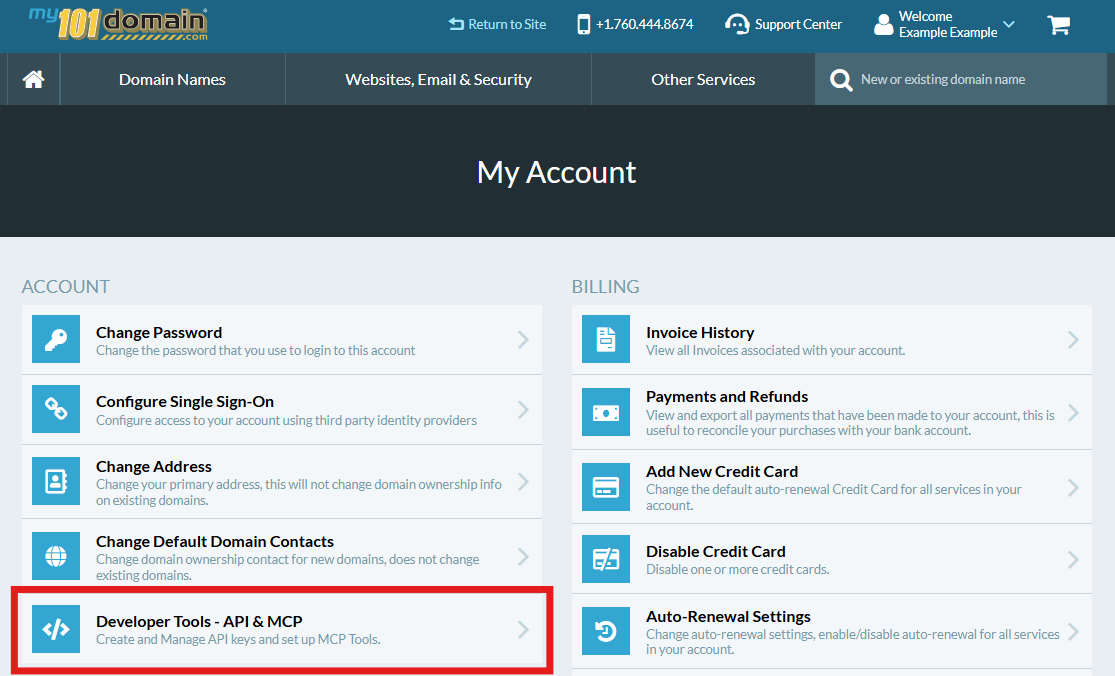
From the My Account menu, click on Developer Tools - API & MCP.
-
In the Developer Tools menu, scroll down the page to find the lost API key in the list and select Revoke.
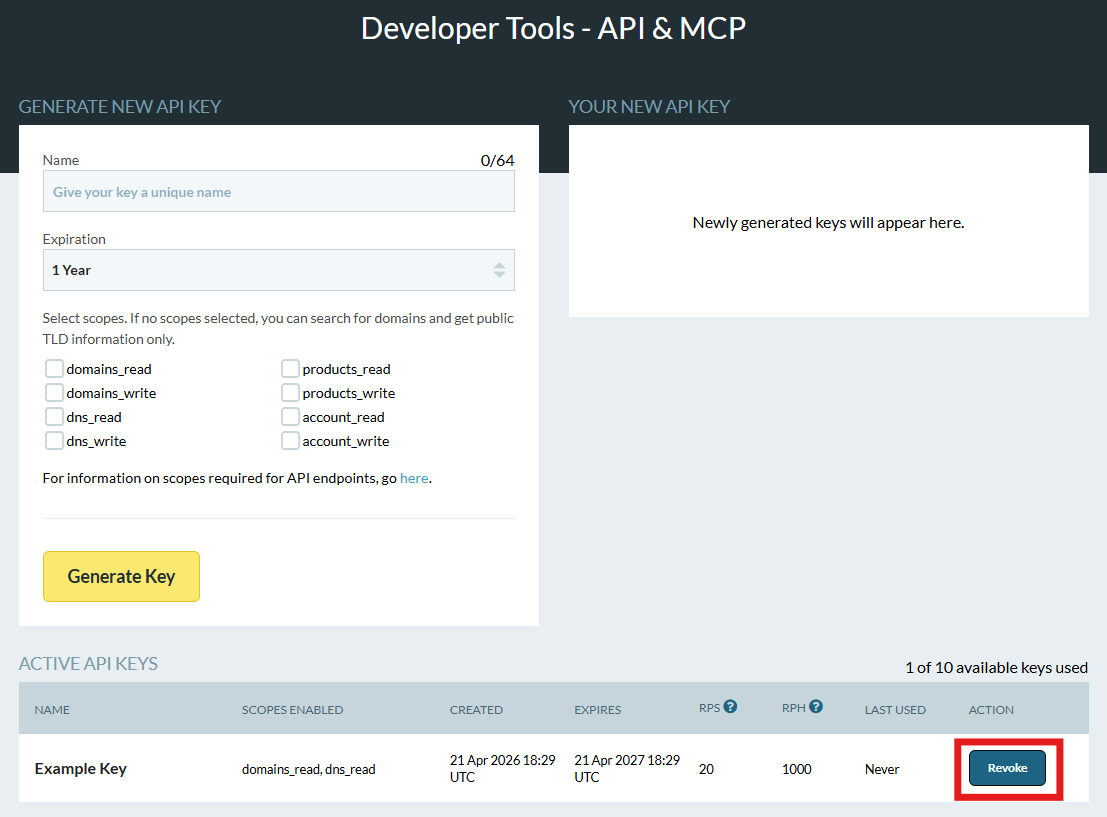
This will immediately stop any applications currently using that specific key from communicating with the API and will no longer appear in this list.
-
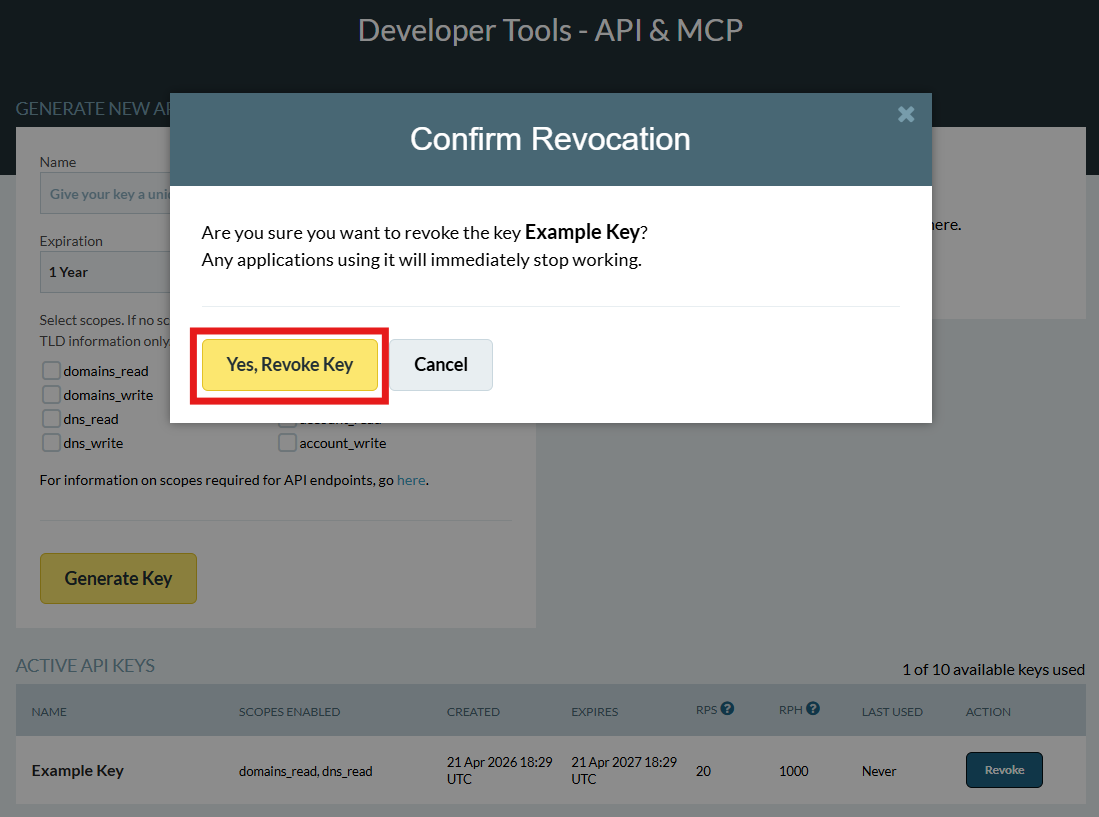
A pop-up will appear for you to confirm that you want to revoke your key. Click on Yes, Revoke Key if you want to proceed or Cancel if you want to retain this key.
Step 2: Generate a New Key
-
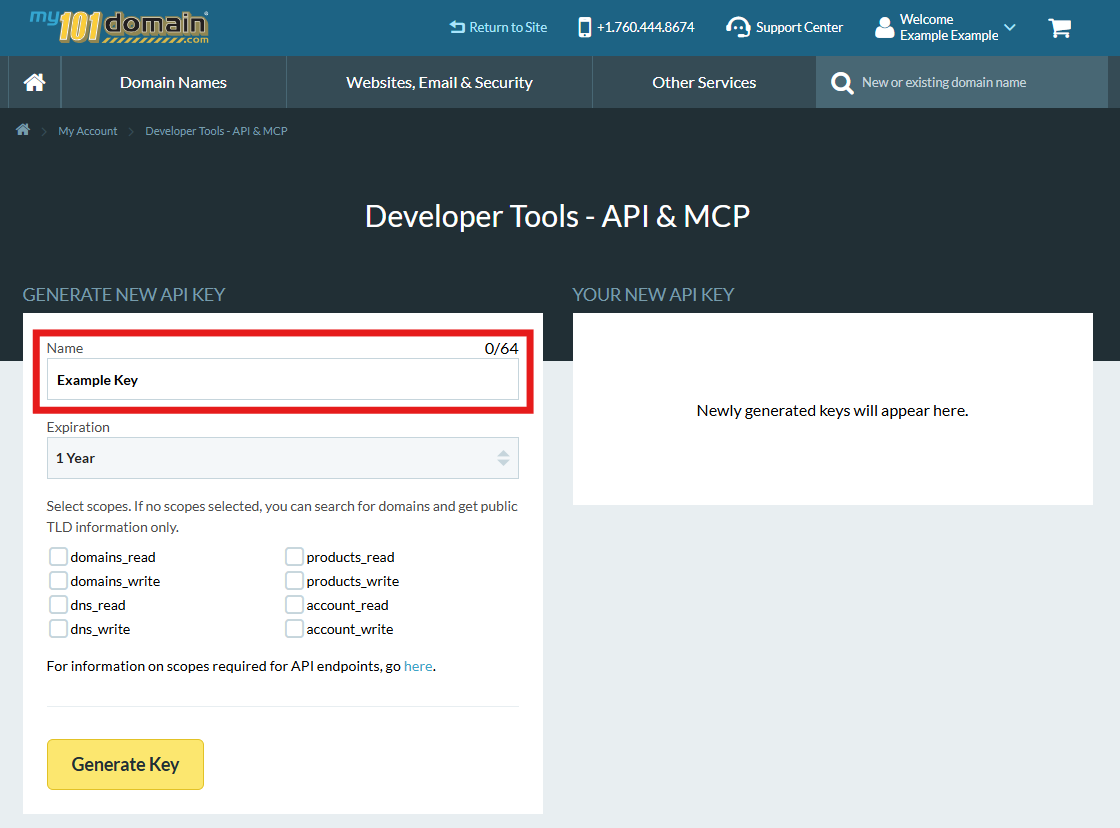
In the same Developer Tools menu scroll up and assign a Name so you can identify it later. You can use the same name as the API Key you revoked earlier.
-
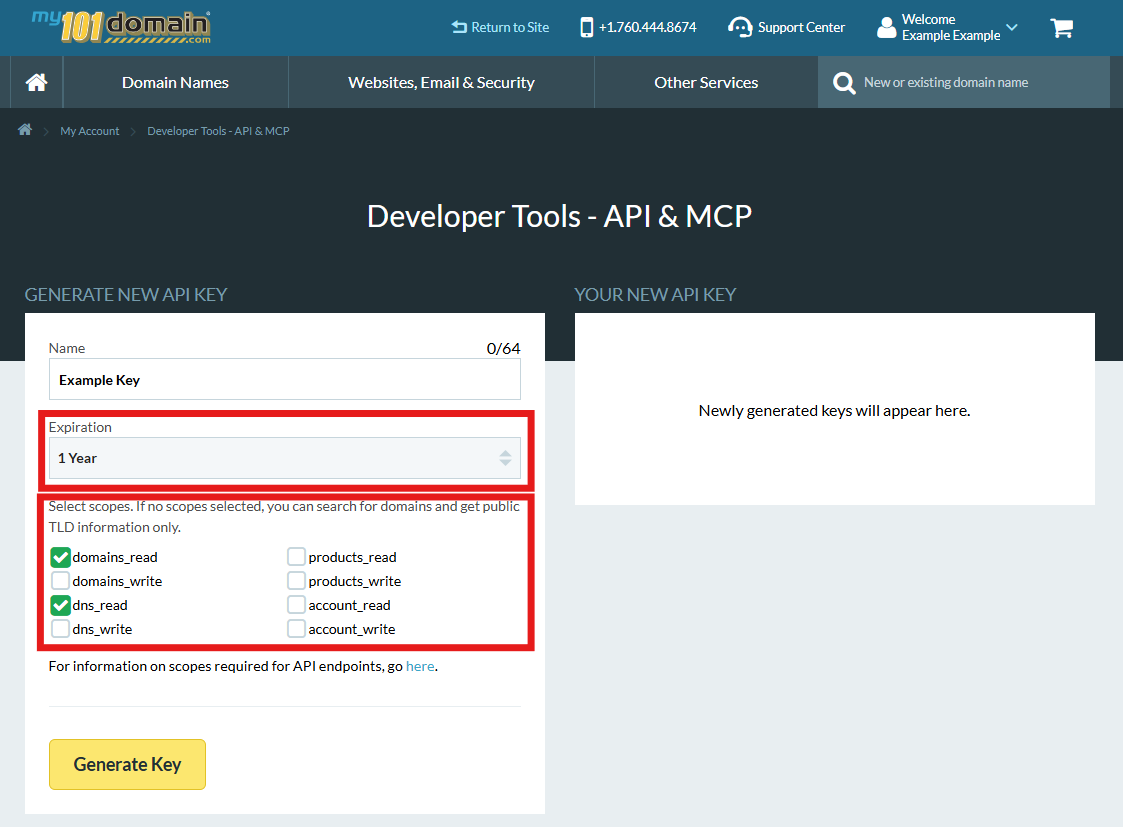
Select the Expiration Period then select the relevant Scopes.
-
Click Generate Key.
-
Your new API Key will be generated and can be found to the right of the screen. Copy the key immediately and store it in your secure password manager. This is the only time the key will be shown in full.
Update Your Environment
Replace the old key in your application’s .env file or configuration header: Authorization: Bearer [YOUR_NEW_API_KEY]. Restart your services to apply the change.
Best Practices for the Future
-
Use Environment Variables: Never hard-code your API key directly into your source code.
-
Least Privilege: If your application only needs to check domain availability, ensure the key is restricted to those specific permissions (if applicable).
-
Rotation Schedule: Even if you don't lose your key, it is a healthy security practice to rotate (delete and recreate) your API keys every 90 days.