
If visitors report that your website shows a “site insecure” message or a warning to proceed with caution, your site likely lacks a Secure Sockets Layer (SSL) certificate. SSL is a security protocol that encrypts information sent between a browser and a server.
Why SSL Certificates Matter for Website Security
By encrypting the link between a web browser and a server, an SSL certificate ensures that all transmitted data remains private and safe from interception. Without an active certificate, sensitive details like login credentials, personal contact info, and payment details are vulnerable to cyberattacks.
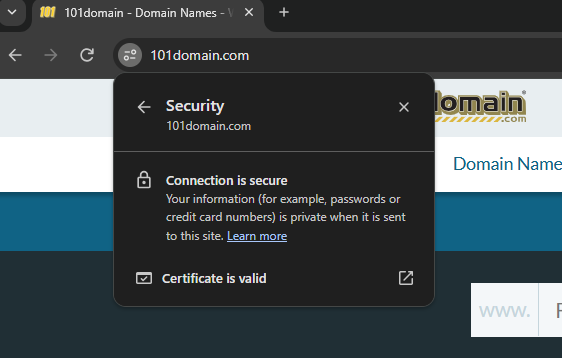
Implementing an SSL certificate builds immediate visitor confidence by displaying visible trust indicators:
-
Padlock Icon & HTTPS: Replaces the standard "HTTP" protocol in the browser's address bar to signal an active, encrypted connection.
-
Certificate Badges: Displays trusted site seals issued by recognized Certificate Authorities (CAs) directly on the webpage.
-
Enhanced Address Indicators: Premium certificates often trigger additional visual trust markers to highlight verified organizational identity.
Securing these communication channels establishes a reliable foundation, giving users the peace of mind needed to safely interact and complete transactions on your site.
How to Add an SSL Certificate to Your Site
101domain offers a variety of SSL certificates to fit the needs of your personal or corporate website. For more details, please see our dedicated SSL certificate page outlining our plans and their features.
If you have Secure Web Accelerator (SWA) enabled on your website, an SSL certificate is already included. You do not need to purchase a separate certificate.
Web Forwarding and "Not Secure" Warnings
The web forwarding option offered on our name servers can only forward from HTTP, not HTTPS. Purchasing a standard SSL certificate will not resolve security warnings for this specific service.
Steps to Secure Web Forwarding
-
Add a Secure Web Accelerator (SWA) subscription to your domain.
-
Follow the instructions in our guide: Configuring Secure Web Forwarding with Secure Web Accelerator