
If you need to reissue an existing SSL certificate or update the Certificate Signing Request (CSR) associated with your SSL certificate, follow these steps in your 101domain account.
Steps to Reissue an SSL Certificate or Change the CSR
-
Access your SSL certificate
-
Go to the Websites, Email and Security section.
-
Locate and select the SSL Certificate you want to reissue or update.
-
Begin the reissue process
-
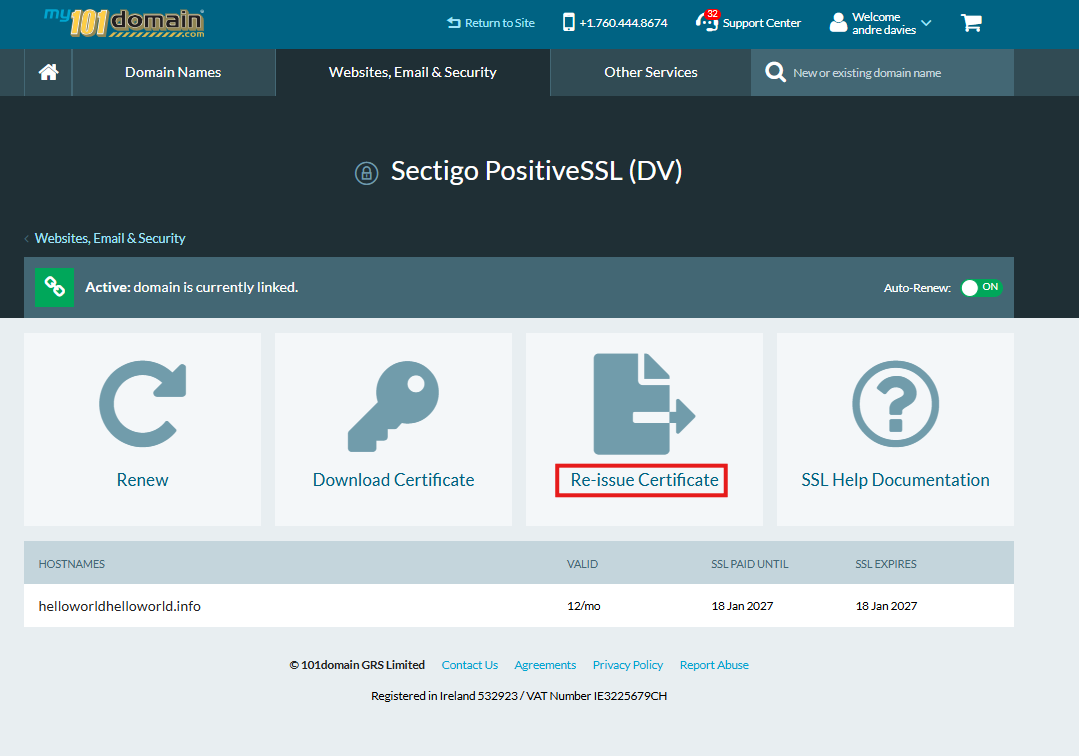
On the certificate details page, click the Reissue button.
-
-
Enter a new CSR
-
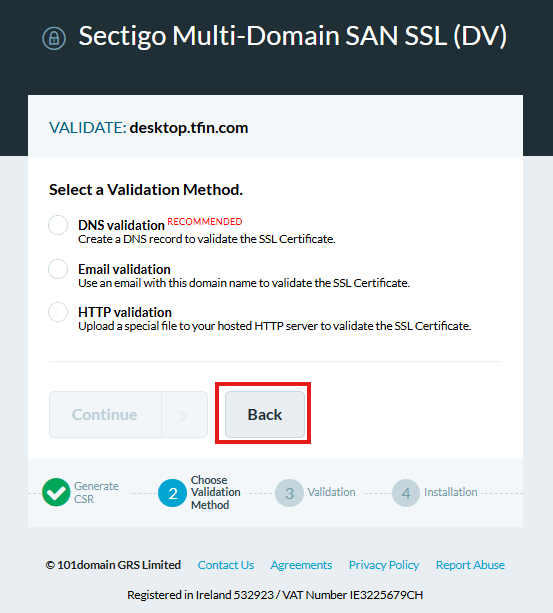
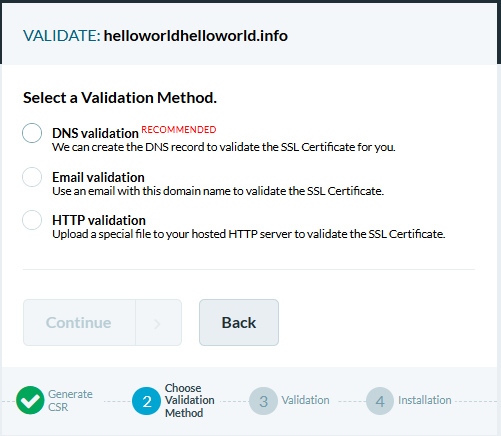
When you reach the validation options screen, click the Back button.
-
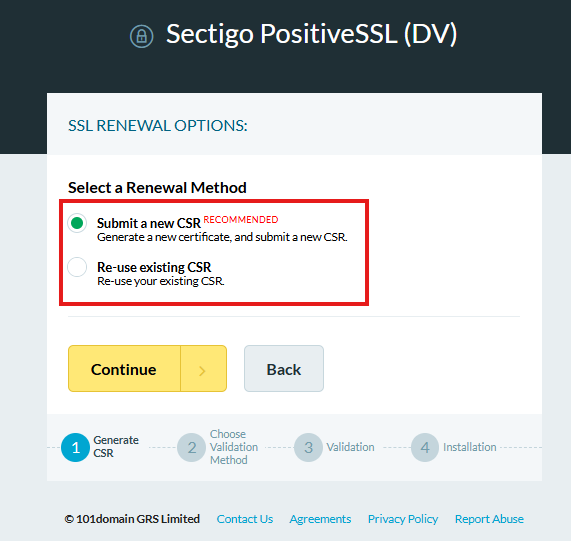
This will return you to the screen where you can enter a new CSR.
-
-
Submit your new CSR
-
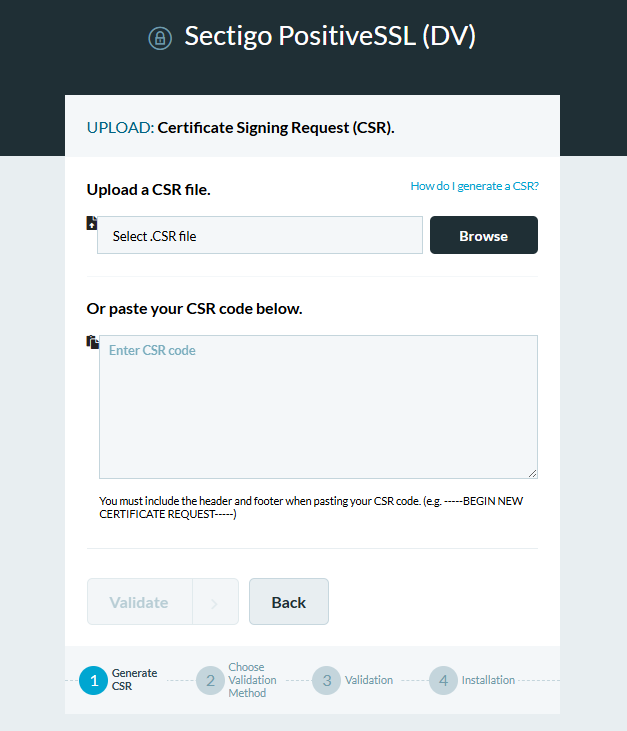
Paste or upload your new CSR in the CSR field.
-
Click Validate to continue.
-
-
Complete the validation process
-
Choose your preferred validation method (such as email, DNS, or HTTP/HTTPS file)
-
Follow the on-screen validation instructions until your SSL certificate is successfully reissued.
-
Need Help?
If you require any support for your SSL Certificate, please contact our Support Team via Live Chat, create a Support Ticket or call our friendly team on +1.760.444.8674.